Mobile-first
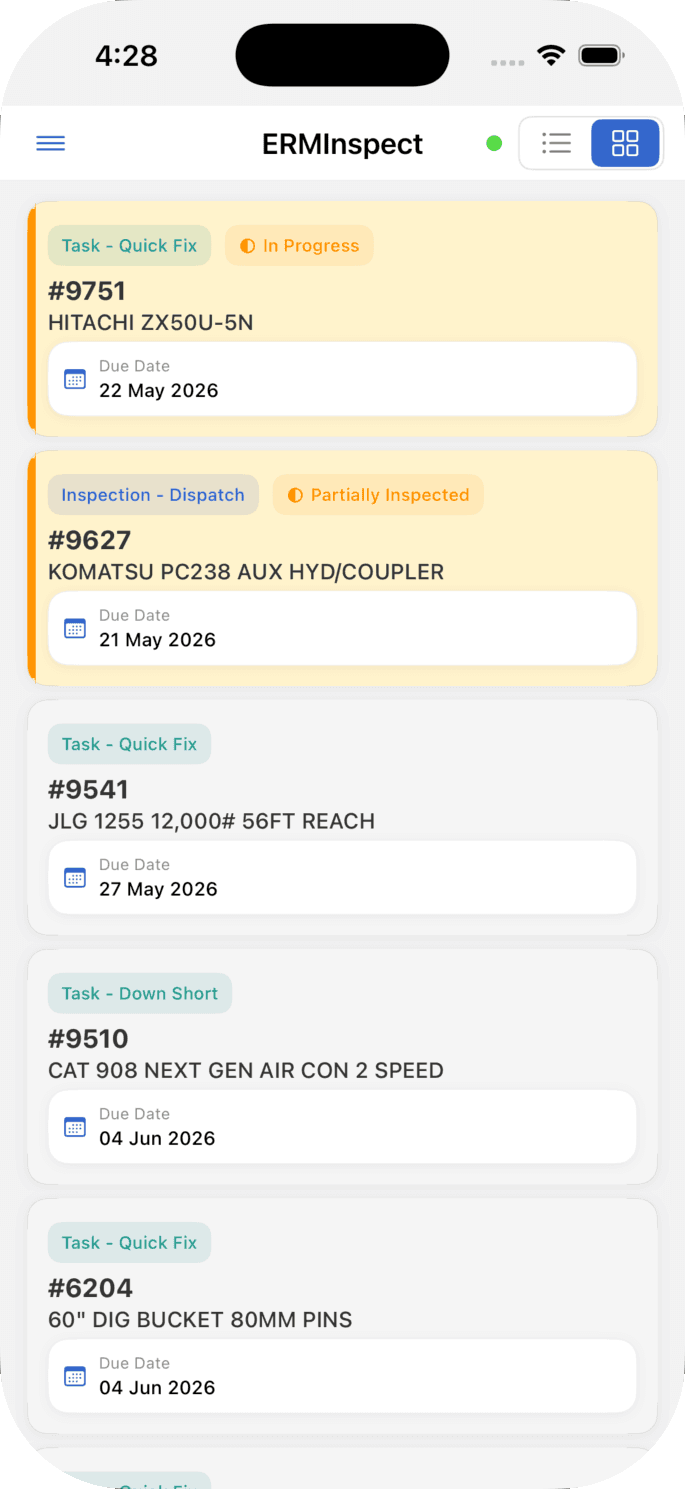
Built for the phone in the cab, not a desktop app stretched to fit. Field crews work the way they already work.
InspectERM
InspectERM now has its own home — everything about the inspection app in one place.
Visit the dedicated InspectERM site →Who it's for
InspectERM started where CloudERM started — with one independent rental dealer who got tired of crews filling out paper checklists that never made it back to the office. The app is built for greasy hands and bright sun: big touch targets, photos, fluid checks, hour meters, fault codes. No passwords to remember, either — crews sign in with their phone number and a one-time SMS code. Field crews get productive on day one; the office gets a record that holds up.
What we already ship
Built for the phone in the cab, not a desktop app stretched to fit. Field crews work the way they already work.
Every inspection produces a record that holds up — photos, hour meters, fluid checks, the operator's name.
No service on a back lot? Inspections queue locally and sync when the device gets a signal back — a sync-status indicator shows what is still waiting, and a push notification tells the crew when new work is assigned.
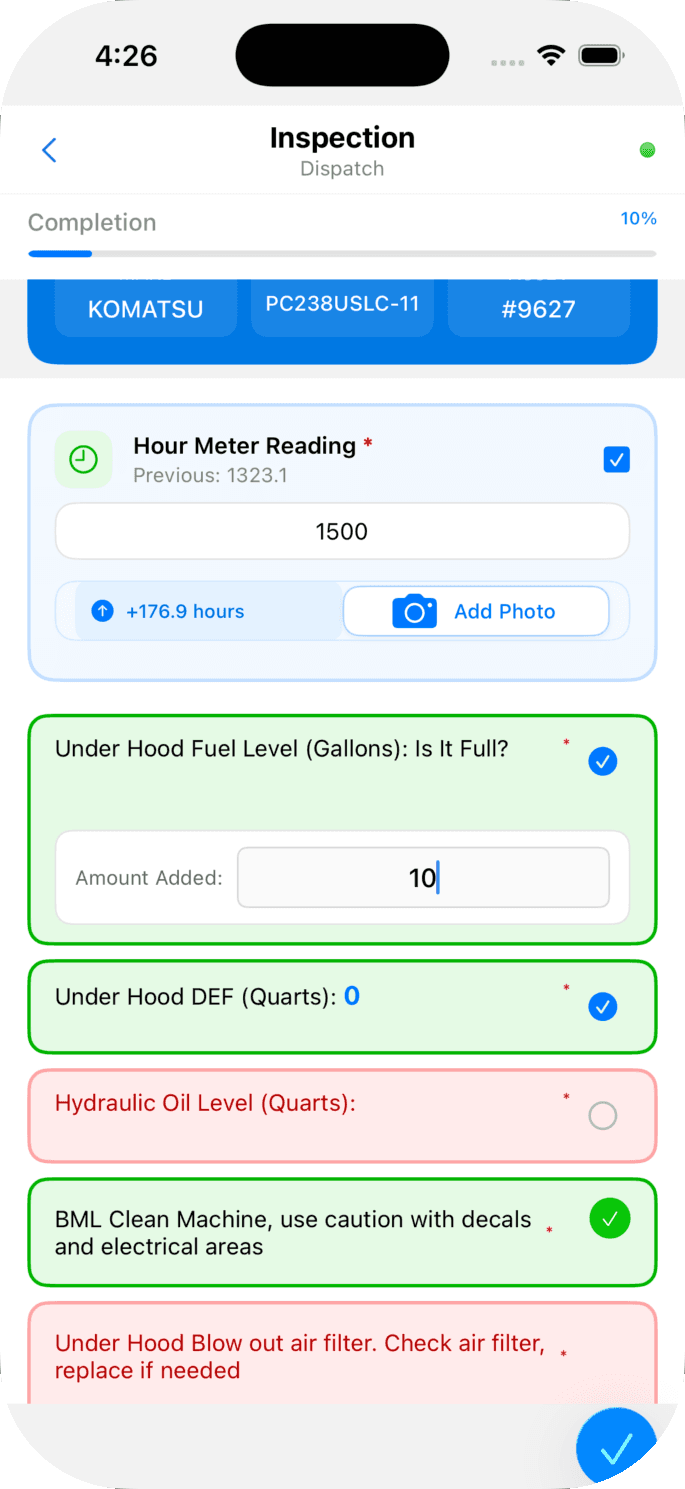
How offline mode works ↗Hour meters, fuel, DEF, fault codes — the same flow whether you're checking out or returning a unit.
Pay for just the Service + Inspection bundle to get the mobile app and asset workflows, or pair it with the Full Platform for quoting, billing, and dispatch.
In your hand
Each inspection is one screen of work — hour meter, fuel levels, fluid checks, fault codes, photos. The fields you need are the ones you see; nothing else is in the way.
More than inspections
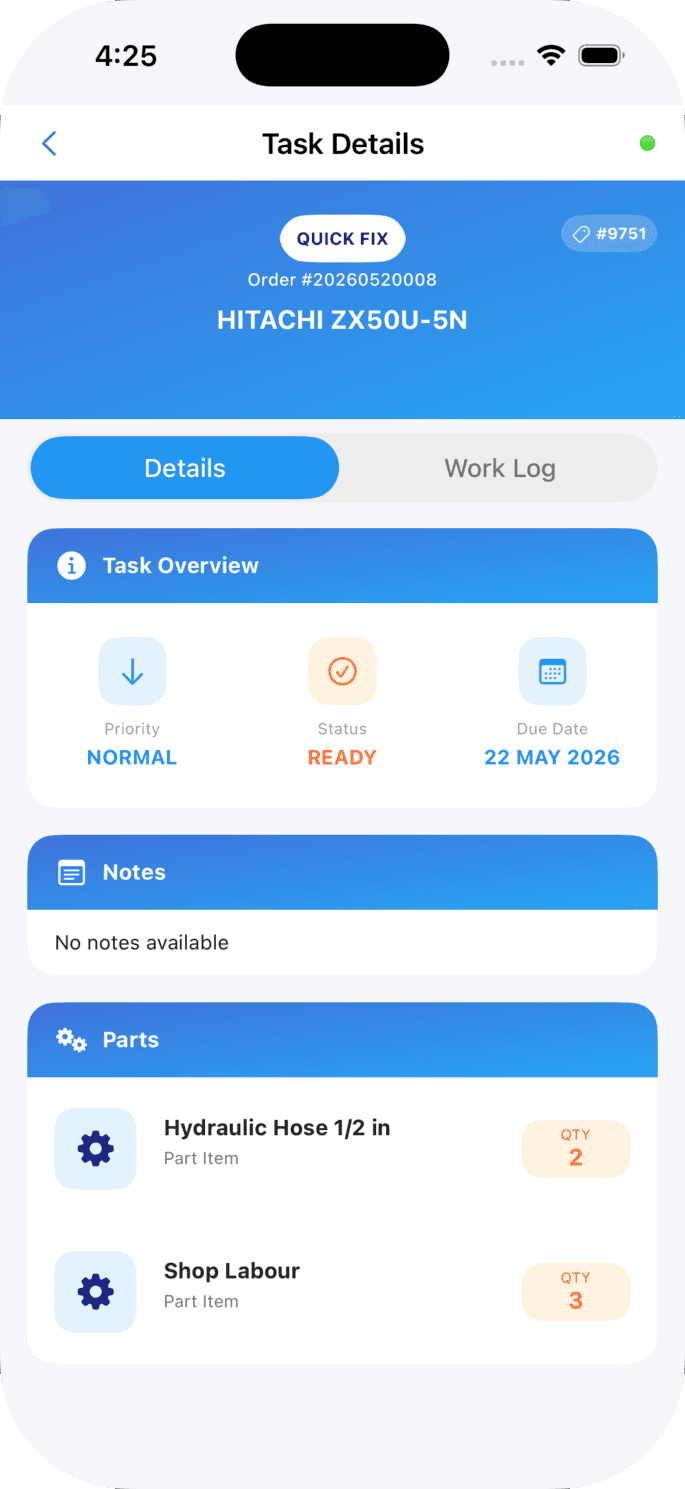
InspectERM is not just a checklist tool. Each work order lands with the parts list, the priority, the due date, and a work log — and field crews mark progress on the same screen they used for the inspections. No app switching, no double entry.
Work logs
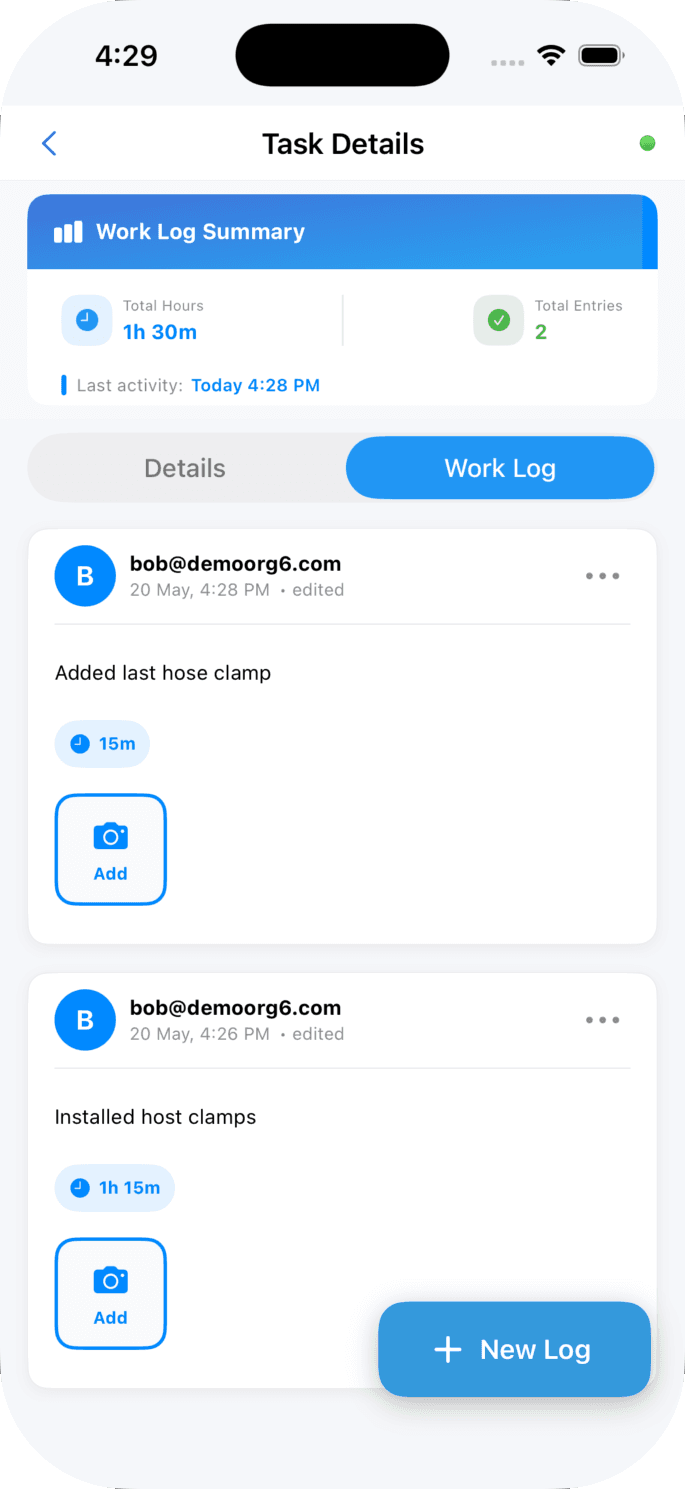
Every work order gets a running work log — time entries, photos of the work, who's clocked against it. Field crews add an entry when they pick up a work order and another when they hand it off. The office sees the actual hours billed; the customer sees the receipts. Nothing reconstructed from memory at the end of the week.
Inspections that match the asset
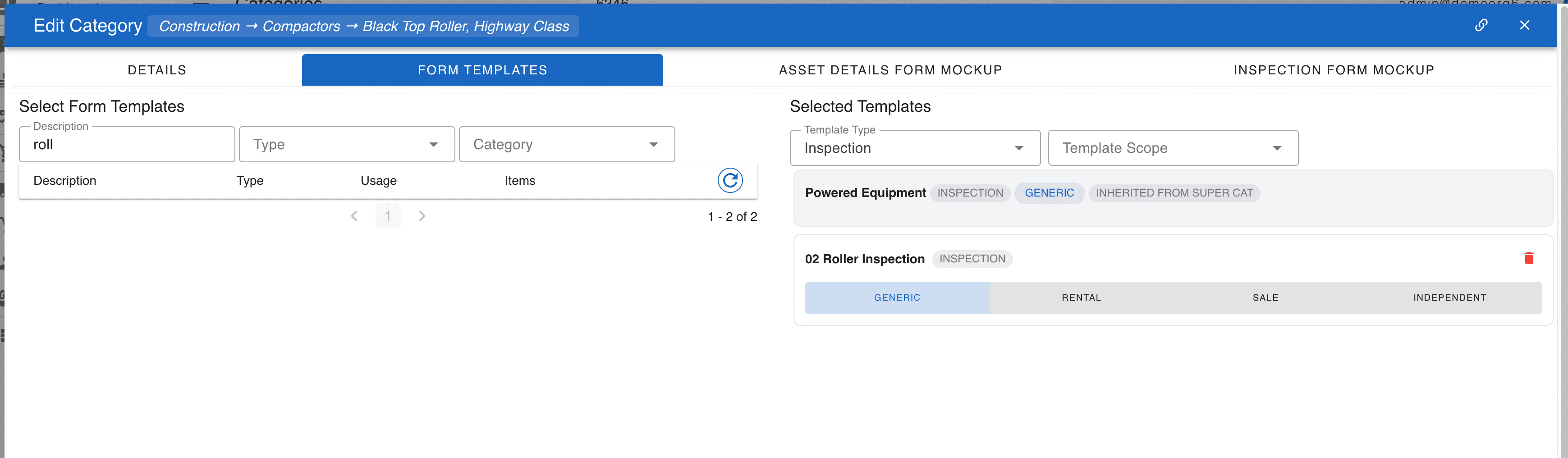
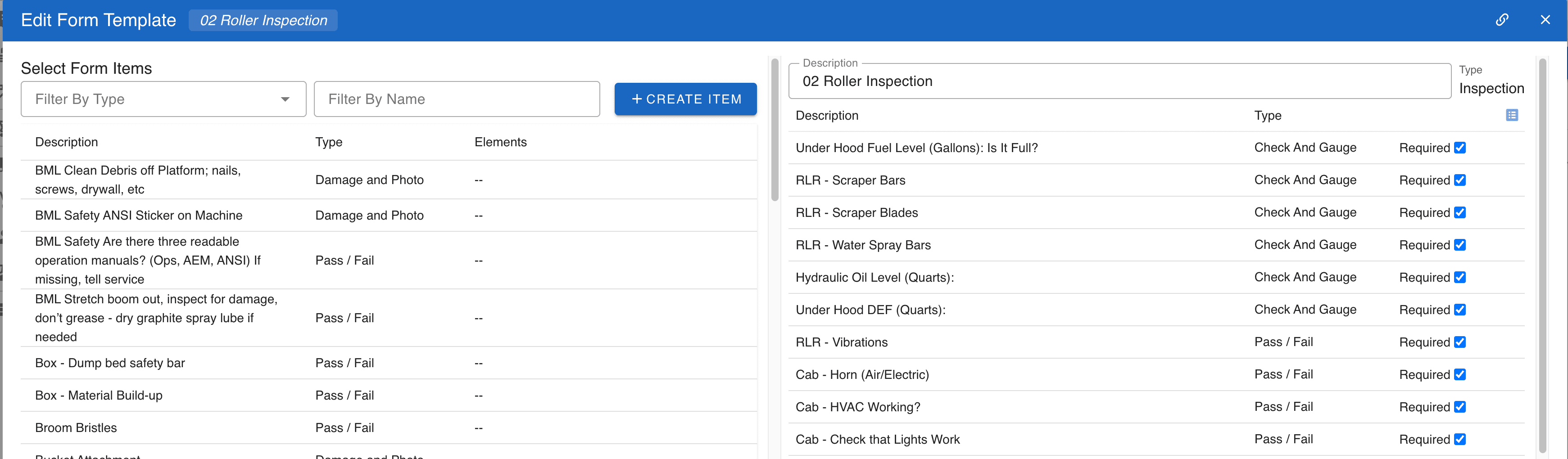
Each category in your fleet gets its own inspection template. Excavators get the hydraulics checks; air compressors get the fluid and DEF checks; rollers get drum-wear and water-spray-bar checks. Templates are inherited down the category tree so adding a new asset wires up the right inspection automatically.
AI in the app
Two AI surfaces live inside InspectERM today — both deliberately on the operator's side of the wheel, not in front of customers.
Snap the meter photo; the field pre-fills with the recognized digits. The crew confirms or corrects. No more transcription errors between the photo and the billing record — and no more dispatches that get back to the office missing the most-edited field on the inspection.
Off-rent inspections stage the dispatch photos beside the return photos and flag panels, decals, hydraulic lines, and lighting that look meaningfully different. The model surfaces candidates and confidence scores; it doesn't auto-bill. The operator decides whether to charge — with both sets of imagery side by side.

Download
Included with every CloudERM plan — no separate license for the app. Not on the platform yet? Request a demo.